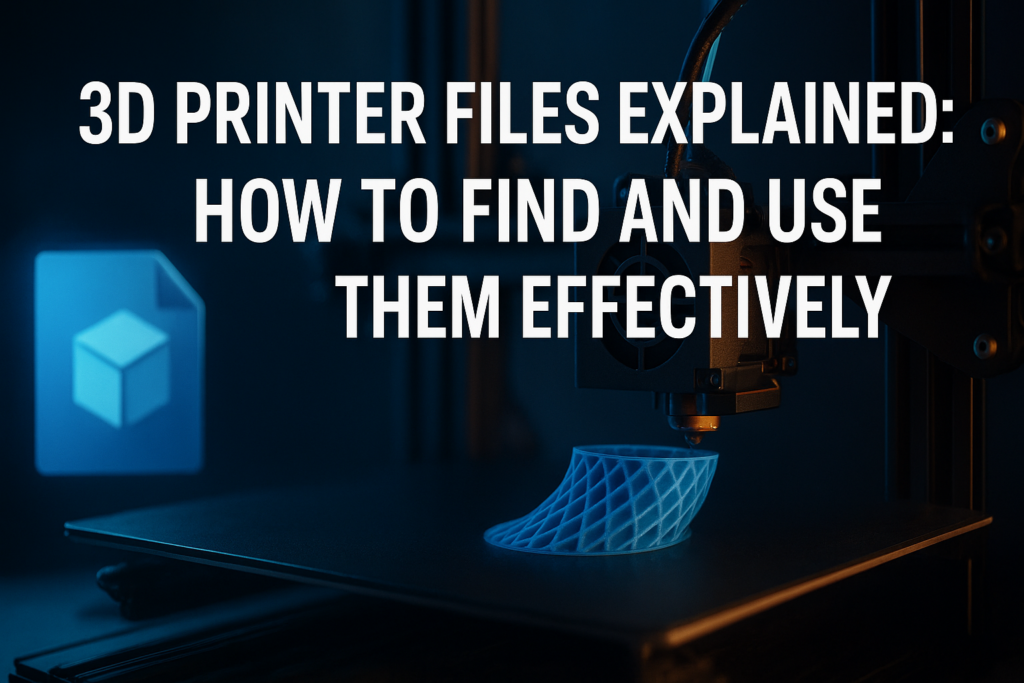

3D printer files form the backbone of any 3D printing project. Without them, the printer has no instructions to build objects from digital designs into tangible items. But what exactly are 3D printer files, where do you acquire them, and how do you use them effectively? This article will answer these questions in detail, providing actionable insights and clear explanations to ensure your 3D printing journey is smooth and rewarding.
What Are 3D Printer Files?
At their core, 3D printer files are digital blueprints that instruct a 3D printer how to create a physical object layer by layer. These files contain detailed geometric data describing the shape, size, and sometimes material properties of the object to be printed.
Typically, these files come in formats like STL, OBJ, or AMF. Each format serves a slightly different purpose:
- STL (Stereolithography): The most common format, representing the surface geometry of a 3D object. It simplifies the object into a mesh of triangles.
- OBJ: Includes color and texture details alongside geometry, useful for more complex and visually detailed models.
- AMF (Additive Manufacturing File Format): Extends STL by supporting multiple materials and colors in one file.
How 3D Printer Files Translate to Physical Objects
Once you have the 3D printer file, it needs to be converted into specific instructions your printer can understand. This process is called slicing. Slicing software breaks down the 3D model into thin horizontal layers and generates a G-code file that controls the printer’s movements, extrusion, speed, and temperature settings.
Popular slicing tools include Ultimaker Cura, PrusaSlicer, and Simplify3D. These programs allow customization of print parameters to optimize for quality, speed, and material usage.
Where to Find 3D Printer Files
Creating 3D models from scratch requires skill and software knowledge. Fortunately, a vast ecosystem of pre-made 3D printer files is available online, suitable for hobbyists, professionals, and educators alike.
Top Platforms for Downloading 3D Printer Files
- Thingiverse: A massive community-driven repository of free STL files across a vast range of categories, from gadgets to cosplay props.
- MyMiniFactory: Curated designs with quality checks and a strong emphasis on printable models.
- Cults: Mix of free and paid models, often featuring artful and creative designs.
- Printables (by Prusa): Active community with a wide selection of easy-to-print and experimental designs.
- TheBestPrinter.net: Provides valuable insights and reviews on 3D printing, helping you choose the right printer and resources, including recommended file formats and slicing tips.
How to Evaluate Quality and Suitability of 3D Printer Files
Selecting the right 3D printer file is more than just downloading the first thing you find. Consider these factors:
- Printability: Check if the model has been printed successfully by others; user reviews and photo uploads help validate this.
- File Integrity: Ensure the file is not corrupted and the geometry is watertight (no holes in the mesh) to prevent printing errors.
- Size & Scale: Understand the dimensions so the print fits your printer’s build volume and intended use.
- Licensing: Verify if the model is free to use, modify, or distribute, especially for commercial projects.
Creating Your Own 3D Printer Files
While downloading pre-made files is convenient, designing your own models unlocks full creative freedom. Various CAD (Computer-Aided Design) and 3D modeling software serve this purpose at different skill levels.
Popular Software for 3D Modeling
| Software | Skill Level | Features | Cost |
|---|---|---|---|
| Tinkercad | Beginner | Browser-based, easy drag-and-drop, simple shapes | Free |
| Fusion 360 | Intermediate to Advanced | Parametric modeling, professional grade, simulation tools | Free for students/hobbyists, subscription otherwise |
| Blender | Intermediate to Advanced | Organic modeling, sculpting, animation-compatible, open source | Free |
| SolidWorks | Advanced | Industry-standard CAD, mechanical design focus | Paid license |
Once designed, export models into a compatible format like STL or OBJ for further processing in slicing software.
Tips for Managing 3D Printer Files Effectively
Handling digital models can become overwhelming without proper organization and preparation. These practical tips help maintain workflow efficiency:
- Use Version Control: Keep backups of different iterations as you refine your designs.
- Name Files Clearly: Incorporate descriptive names that indicate model purpose, version, and scale.
- Test Print Small Sections: Print scaled-down versions or parts of complex models to catch issues early.
- Calibrate Your Printer: Regularly calibrate bed leveling and extrusion rates to ensure outputs match the file design.
- Update Software: Keep slicing and printer firmware current for compatibility and improvements.
Common Issues with 3D Printer Files and How to Fix Them
Problems with 3D printer files often cause failed prints, wasted material, or wasted time. Addressing these pitfalls will lead to better results.
- Non-Manifold Edges: These occur when a model has holes or overlapping surfaces. Tools like Meshmixer or Microsoft 3D Builder can repair these automatically.
- Incorrect Scale: Always check dimensions in your slicing software before printing; adjust scale if needed.
- Unsupported Overhangs: Some designs require support structures to print overhangs properly. Enable support settings in your slicer.
- File Corruption: If a file won’t load or crashes software, try re-downloading or exporting from the original CAD program again.
Frequently Asked Questions About 3D Printer Files
What file format should I use for 3D printing?
STL is the most widely accepted format for 3D printing, but OBJ files are useful if your model includes color or texture. AMF is less common but supports multi-material prints.
Can I edit downloaded 3D printer files?
Yes. Many files can be modified using CAD or mesh editing software. Be sure the file format is compatible with your editing software.
How do I slice a 3D printer file?
Import your printer file (STL/OBJ) into slicing software, adjust settings like layer height and infill density, add supports if necessary, and then export the G-code for your printer.
Are all 3D printer files free to use?
No. Some files are shared under open licenses allowing free use and modification, while others require purchasing or may restrict commercial use. Always review licensing terms on the platform.
Summary of Key Takeaways
- 3D printer files are digital models that translate designs into physical prints via slicing software.
- STL is the most common file format, with OBJ and AMF providing expanded capabilities.
- A wealth of downloadable files exists, but verifying printability and licensing ensures better results.
- Creating your own 3D printer files offers limitless creativity, supported by user-friendly design software.
- Maintaining organized files, calibrating hardware, and troubleshooting common issues prevent print failures.
- Consult resources like TheBestPrinter.net for deeper insights into tools and best practices for 3D printing.
Combining an understanding of 3D printer files with practical skills in managing and preparing them equips you for successful additive manufacturing projects—whether for prototyping, hobby crafting, or professional production.

Leave a Reply