

Table of Contents
What Is an Inkjet Printer?
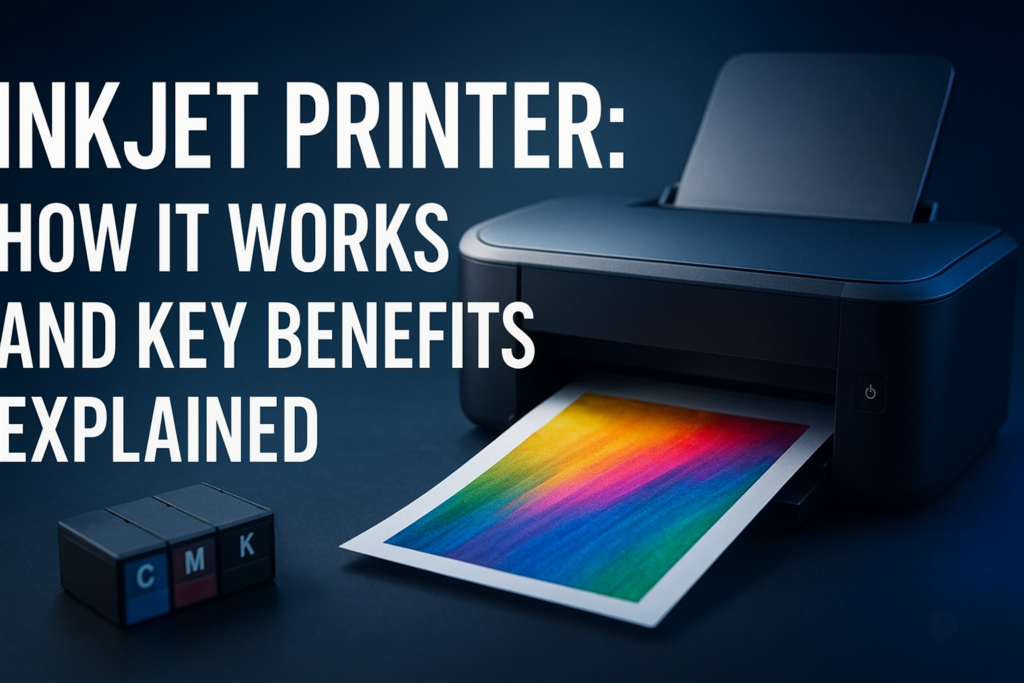
An inkjet printer is a type of computer peripheral that creates images and text by spraying tiny droplets of ink directly onto paper. It’s a popular choice for home, office, and professional photographers due to its ability to produce high-quality color prints with detailed gradations and sharp text.
Unlike laser printers that use toner powder, inkjet printers rely on liquid ink cartridges. This fundamental difference shapes the printer’s costs, speed, and output quality.
How Does an Inkjet Printer Work?
Inkjet printers operate by propelling minute ink droplets from nozzles onto paper. There are two main technologies used to control this ink spraying:
- Thermal Bubble: Tiny resistors heat the ink to produce bubbles that force droplets out of the nozzle.
- Piezoelectric: Piezo crystals vibrate to push ink droplets without heating, providing better control and longer ink life.
The precision of droplet placement gives inkjet printers the capacity for vivid color and fine detail, making them ideal for photo printing and color graphics.
Types of Inkjet Printers
Consumer Inkjet Printers
These are compact, affordable printers designed for everyday printing needs like documents, school projects, or occasional photos. Often, they come with multifunction features such as scanning and copying.
Photo Inkjet Printers
Photo inkjet printers use specialized inks and media handling systems to deliver professional-grade images with expanded color ranges and deep blacks. They are preferred by photographers and graphic designers.
Large-Format Inkjet Printers
Used primarily in commercial settings, these printers can handle larger paper sizes for banners, posters, and fine art prints. Their ink systems and printheads are engineered for high-volume and high-resolution printing.
Advantages and Disadvantages
| Advantages | Disadvantages |
|---|---|
| Sharp, vibrant color output with smooth gradients | Ink cartridges can be costly and require frequent replacement |
| Generally compact and affordable upfront | Slower printing speeds compared to laser printers |
| Excellent for printing photos and detailed images | Ink can smudge if not dried properly or on unsuitable media |
| Supports a variety of paper types and sizes | Prone to clogging if not used regularly |
Key Features to Consider When Buying an Inkjet Printer
Print Resolution
Measured in dots per inch (DPI), resolution affects print clarity. For text documents, 300 dpi suffices, but photo prints benefit from resolutions upwards of 1200 dpi.
Ink Type and Cartridge System
Some printers use dye-based inks that provide vibrant colors but may fade faster. Pigment-based inks offer more longevity and resistance to water and light.
Connectivity Options
Check for USB, Wi-Fi, Ethernet, or even Bluetooth connectivity depending on how you intend to print—from a single PC or multiple devices.
Print Speed
Measured as pages per minute (PPM), speed varies widely. For basic document printing, a higher PPM saves time, while photo printing is usually slower across the board.
Multifunction Capability
If you need scanning, copying, or faxing, consider all-in-one inkjet models that integrate these features seamlessly.
Cost Per Page
Beyond the initial price, evaluate how much each page costs in ink. Some models offer high-yield cartridges or refillable tanks to reduce ongoing expenses.
Browsing comprehensive buyer guides and expert reviews at TheBestPrinter.net can further clarify these choices.
Price Comparison and Value Analysis
The upfront cost of inkjet printers ranges from budget-friendly models around $50 to more elaborate photo printers exceeding $500. Here’s a simplified price comparison:
| Category | Average Price Range | Typical Use |
|---|---|---|
| Basic Consumer Inkjet | $50 – $150 | Home and light office use |
| All-in-One Inkjet | $100 – $300 | Small offices with scanning/copying needs |
| Photo Inkjet Printers | $300 – $700+ | Professional photo and graphic printing |
| Large-Format Inkjet | $1,000 and up | Commercial and fine art printing |
Keep in mind that while cheaper models suit casual users, investing in mid-range all-in-one units can offer better cost efficiency over time, particularly if you print often.
Best Use Cases for Inkjet Printers
- Photo Printing: Inkjet printers excel at color accuracy and subtle shading, making them preferred for printing photography or promotional materials.
- Small to Medium Office Print Jobs: Multifunction inkjet devices provide a balance between capabilities and space limitations.
- Home Projects: From school reports to greeting cards, inkjets handle diverse media types effectively.
- Creative Arts and Crafts: Printers that support specialty papers like canvas or glossy photo paper open creative doors.
Common Issues and Maintenance Tips
Clogged Printheads
Infrequent use often leads to dried ink clogging nozzles, resulting in faded or streaky prints. Running the printer’s built-in cleaning cycles regularly can prevent this.
Ink Cartridge Replacement
Cartridges may run out quickly depending on print volume and type. Consider models supporting refillable tanks or high-yield cartridges for cost savings.
Paper Jams
Ensure you’re using compatible media and follow the manufacturer’s instructions for loading paper. Keep the paper tray clean and free of dust.
Color Calibration
Over time, colors might drift. Using color calibration tools or software improves print accuracy, especially for photo work.
Frequently Asked Questions
Is an inkjet printer better than a laser printer?
Inkjet printers generally provide better color accuracy and detail, ideal for photos and images. Laser printers are faster and have a lower cost per page, making them preferred for high-volume text printing.
How often should I use my inkjet printer to avoid clogs?
Using your printer at least once a week helps prevent ink from drying in the nozzles. If not printing frequently, running a cleaning cycle before heavy use can help.
Can inkjet printers print on different types of paper?
Yes, many inkjet printers support a variety of media including glossy photo paper, cardstock, labels, and even some fabric types. Check the printer’s specifications for supported media.
Are inkjet printer inks safe for archival printing?
Pigment-based inks are suitable for archival-quality prints with resistance to fading. Dye-based inks are less stable over time and may not be ideal for long-term preservation.
Final Thoughts and Recommendations
Choosing an inkjet printer requires weighing your specific needs against printer capabilities and operating costs. For casual users, reliable, straightforward models can make printing photos and documents hassle-free. For graphic professionals, photo inkjet printers with pigment inks unlock true color fidelity.
Explore detailed reviews and comparison charts at TheBestPrinter.net to make informed decisions tailored to your printing demands.
Prioritizing features like connectivity, cartridge cost, and print resolution will help ensure your investment serves both immediate and long-term requirements.

Leave a Reply